Code skill · free
OG Image
A title and an optional picture in, a 1200x630 link preview card out. Free, renders locally.
Download the skill
Install it in Claude Code, Codex, Cursor and run it on your own computer.
Download .zipInstall
- Download the .zip above and unzip it.
- Put the
og-imagefolder in your agent's skills folder, for example~/.claude/skills/og-imagefor Claude Code. - Ask your agent for the video. The skill's SKILL.md tells it what to collect and which script to run.
Inputs
Title (text)
The page title, up to 110 characters. It is set as large as fits.
Kicker and description (text, optional)
A short label above the title (up to 40 characters) and one line under it (up to 140).
Picture (image, optional)
A screenshot or photo shown on the right in a rounded frame.
Logo and site name (text, optional)
A logo file and the site name or URL for the footer.
Colours (text, optional)
Hex colours for the accent, the background and the text.
Made with
- Engine
- HyperFrames
- Output
- image
- Cost per run
- Free: renders on your computer
The Open Graph image is the picture that shows when someone shares your link on X, LinkedIn, Facebook, Slack or in a chat. A page without one gets a grey box or a random picture from the page, and fewer clicks.
This skill gives your coding agent a recipe for that card. Give it the page title and, if you like, a screenshot and your logo, and HyperFrames renders a 1200x630 PNG on your machine.
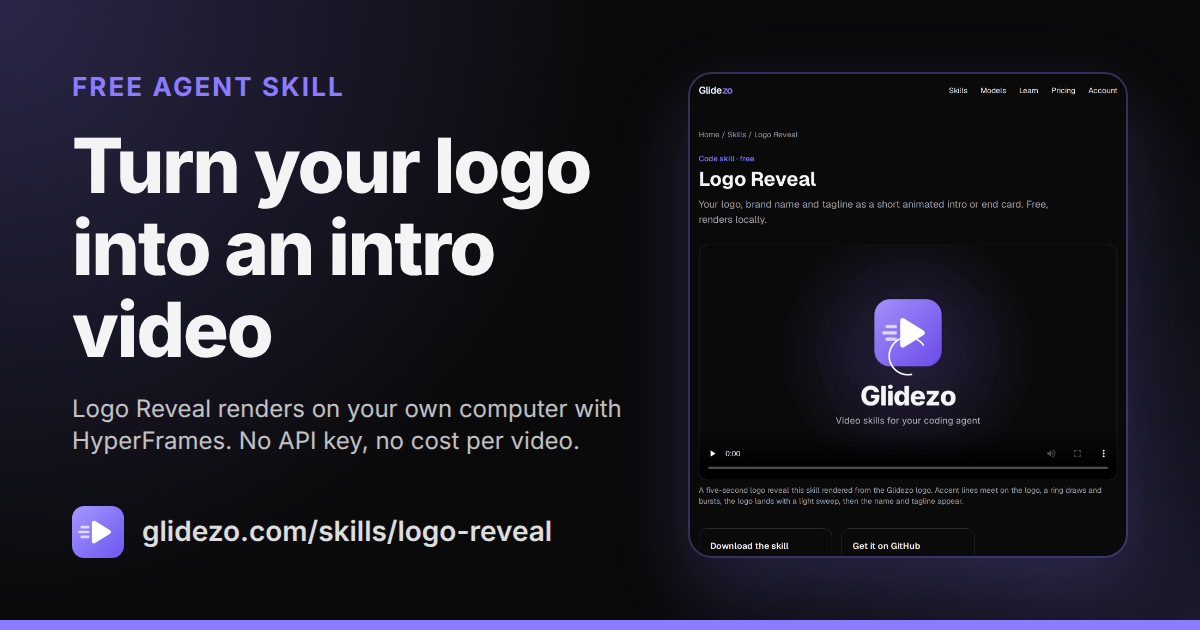
What the card looks like
- A small kicker in your accent colour, such as “New” or the section name.
- The title, as large as it fits, with an optional line of description under it.
- Your logo and site name at the bottom, and an optional picture in a rounded frame on the right.
The card above is the real file this skill made for our Logo Reveal page, shown at full size.
How it works
- Download the skill and put it in your agent’s skills folder (the steps are above).
- Ask, for example: “Make an OG image for my post How we cut our build time in half, with a screenshot of the chart and our logo.”
- The agent renders the PNG, checks its size, and can add the meta tags to your page.
For a whole site, ask the agent to make one card per page from your page titles.
Questions
- Is the OG image skill free?
- Yes. The skill is free to download and renders on your own computer with HyperFrames, so there is no API key and no cost per image.
- What size is the image?
- Exactly 1200x630 pixels, the 1.91:1 size Facebook recommends, at or above LinkedIn's 1200x627 minimum. The script fails if the size is off.
- Is it under the file size limits?
- LinkedIn takes link images up to 5 MB and Facebook up to 8 MB. The script keeps the image under 5,000,000 bytes and saves a JPEG instead if a PNG would pass that; our sample is 266 KB.
- What happens with a long title?
- The title starts at the largest size that fits and shrinks until the real letters fit the box, so a title of up to 110 characters never spills over.
- How do I add it to my page?
- Put the file on your site and point the og:image meta tag at it, with og:image:width 1200, og:image:height 630 and twitter:card set to summary_large_image. The skill's instructions include the tags.
Sources
- Meta for Developers, Images in link shares (1200x630 recommended, 8 MB maximum) (checked 2026-10-31)
- LinkedIn Help, Sharing module image requirements (1200x627 minimum, 5 MB maximum) (checked 2026-10-31)
- HyperFrames on GitHub (Apache-2.0); skill tested with hyperframes 0.8.223 (checked 2026-10-31)